01
Applications
Choose a container image, add a domain, and deploy. Upvale sets up HTTPS and keeps your logs and deployment history.
- Deploy from a container image
- Domains & automatic HTTPS
- Logs, terminals & revisions
MANAGED CONTAINERS, ON YOUR SERVERS
Focus on your product, not on your infrastructure. Upvale is a product for developers who want the ease of use of managed container apps and databases, without the cost of it.
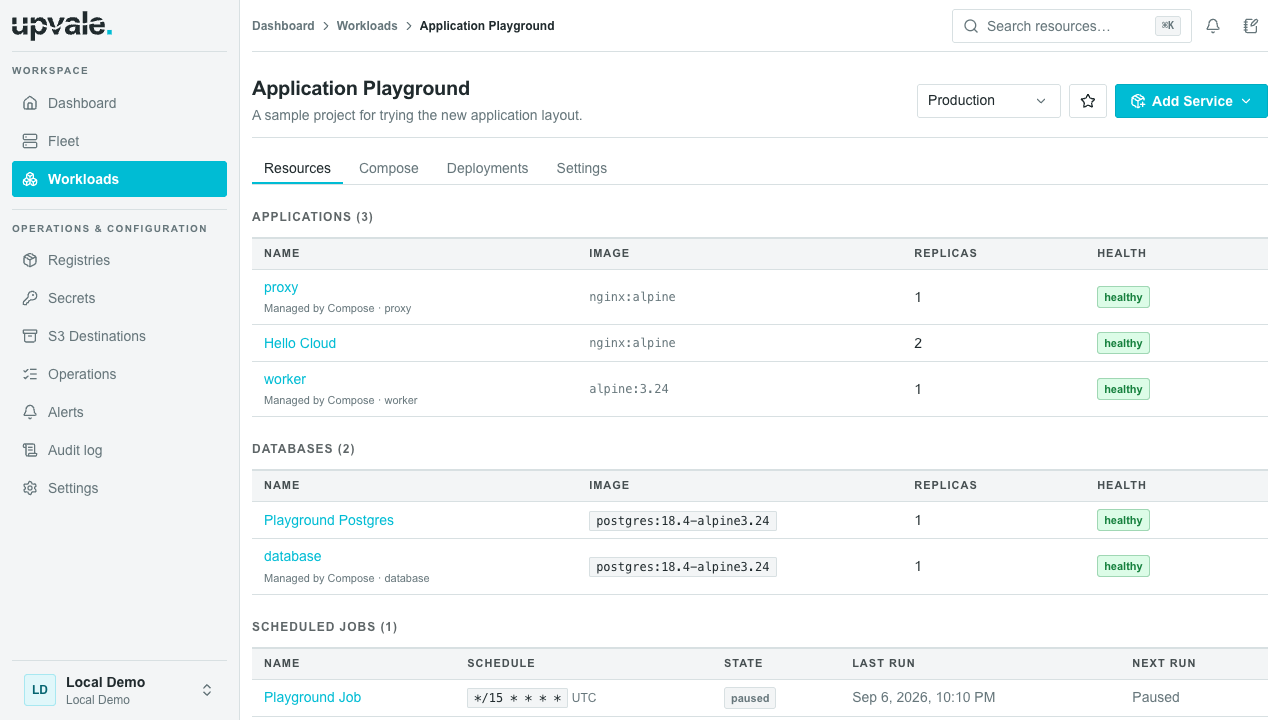
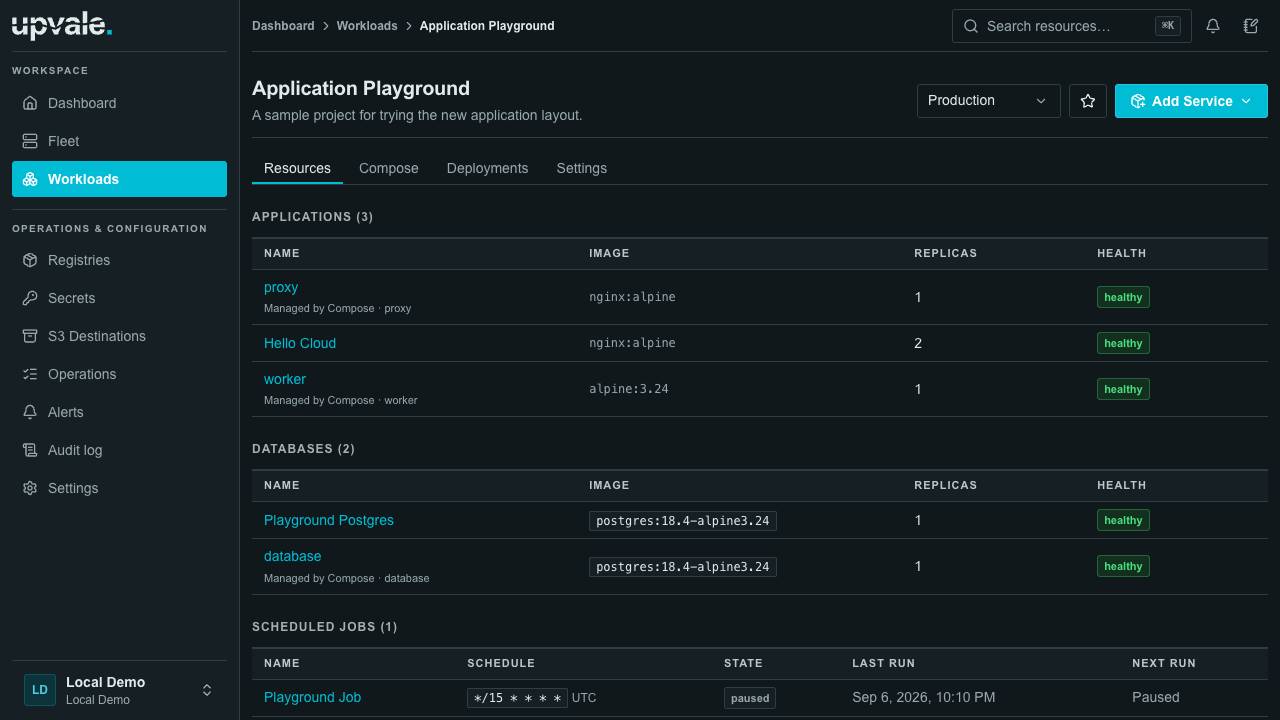
01 / SERVICES
Create services with a few settings and group them into projects. Use the advanced options when you need more control.
Choose a container image, add a domain, and deploy. Upvale sets up HTTPS and keeps your logs and deployment history.
Create a PostgreSQL, Redis, or MongoDB database. Set up backups and copy the connection details into your app.
Run imports, reports, or cleanup tasks on a schedule. Check the output or start a run from the dashboard.
02 / POSTGRESQL HIGH AVAILABILITY
Connect at least three servers, choose managed PostgreSQL, and select your primary and standby nodes. Upvale configures replication and automatic failover. Add read replicas from the same screen.
If the primary fails, an eligible standby can take over. Your application reconnects through the same writer endpoint.
Let selected standby nodes serve reads as well. Upvale gives your app a reader connection and balances new connections across the healthy replicas you choose.
Keep reads on the primary until it gets busy, then share the load with replicas. For example: above 80% server CPU for a minute. You choose the threshold and duration.
Replicas must pass health and replication-lag checks before receiving new read connections.
Send read traffic to the separate reader endpoint. Keep writes, and reads that need to see the latest write, on the writer endpoint. Replica data can lag behind the primary.
03 / DOCKER COMPOSE
Prefer to define your services in a file? Import your Compose configuration and manage its services from the dashboard.
Import image-based services into your project. Choose which compatible database services Upvale should manage.
See what will be created, updated, or removed before you apply the file. Unsupported options are flagged here.
Read logs and inspect deployments for each service. Edit the Compose file when you want to change their configuration.
# Web app, API, and PostgreSQL
services:
  web:
    image: ghcr.io/fieldnotes/web:1.8.2
    ports: ["3000:3000"]
    depends_on: [api]

  api:
    image: ghcr.io/fieldnotes/api:1.8.2
    depends_on: [postgres]

  postgres:
    image: postgres:17
    environment:
      POSTGRES_PASSWORD: ${POSTGRES_PASSWORD}
    volumes: ["db-data:/var/lib/postgresql/data"]

volumes:
db-data:Imported services appear alongside the rest of your project.
04 / MAINTENANCE
Update servers, schedule backups, and check for problems from the dashboard.
Choose when to update. Upvale applies the updates and checks that the server comes back online.
Schedule database backups to your S3 storage. Restore into a new database and verify your data before switching over.
Compare configuration between revisions and follow the deployment steps to see where a change went wrong.
Check server health, read the service logs, and review alerts from the same dashboard.
Control what teammates can access. Solo and Team include audit logs to track deployments and other changes.
Application traffic stays on your infrastructure.
05 / PRICING
Two months free with yearly billing.
For trying Upvale.
Free. No subscription payment.
Start freeFor individual developers.
Billed monthly.
Choose SoloFor teams working together.
Billed monthly.
Choose TeamFor larger teams and custom needs.
Contact us for pricing.
Contact usPrices are in USD, per organization. Server and backup storage bills are paid separately to your providers. Node limits cover all clusters in the organization.
FAQ
Connect a Linux server using the setup command, then deploy a container image from the dashboard. Apps, databases, and scheduled jobs each have their own form. Compose is optional.
No. You pay your server and backup storage providers separately. Upvale’s subscription covers the dashboard and management of your servers, with no extra fee per app, database, or job.
On the Linux servers you connect to Upvale. You choose the provider and server sizes. Upvale hosts the dashboard and manages deployments.
Yes. Keep building images in your current CI pipeline and pushing them to your registry. A deployment webhook can tell Upvale to deploy the new image after a successful build.
Yes. Enable managed Compose in your project, import a file, and review the changes before deploying. Services need prebuilt container images. Upvale flags unsupported settings before you apply the file.
You start updates from the dashboard. Upvale applies them and checks that the server comes back online. Agent updates run one server at a time. System package updates require a supported APT-based Linux system. Updates do not run on a schedule.
Connect at least three eligible servers to your cluster, then create a managed PostgreSQL HA database and choose its primary and standby nodes. Upvale configures replication and automatic failover. Optional read replicas use a separate reader connection in your app.
Choose an S3-compatible storage destination, a schedule, and how long to keep backups. A restore creates a new database so you can check the recovered data before pointing your application at it.
Your running workloads stay on your servers, and application traffic does not pass through the control plane. You will need the control plane back online to deploy changes or manage resources.
UPVALE
Connect a server and deploy your first app.